News & RSS
OpenAlice runs a background RSS collector that fetches news from configurable feeds and stores them in a persistent archive. Four search tools let Alice scan and read articles following the Unix philosophy. The tools are named after what they read — the rss family (globRss / grepRss / readRss plus the date-windowed windowRss), and in a workspace they're the alice rss glob | grep | read | window commands.
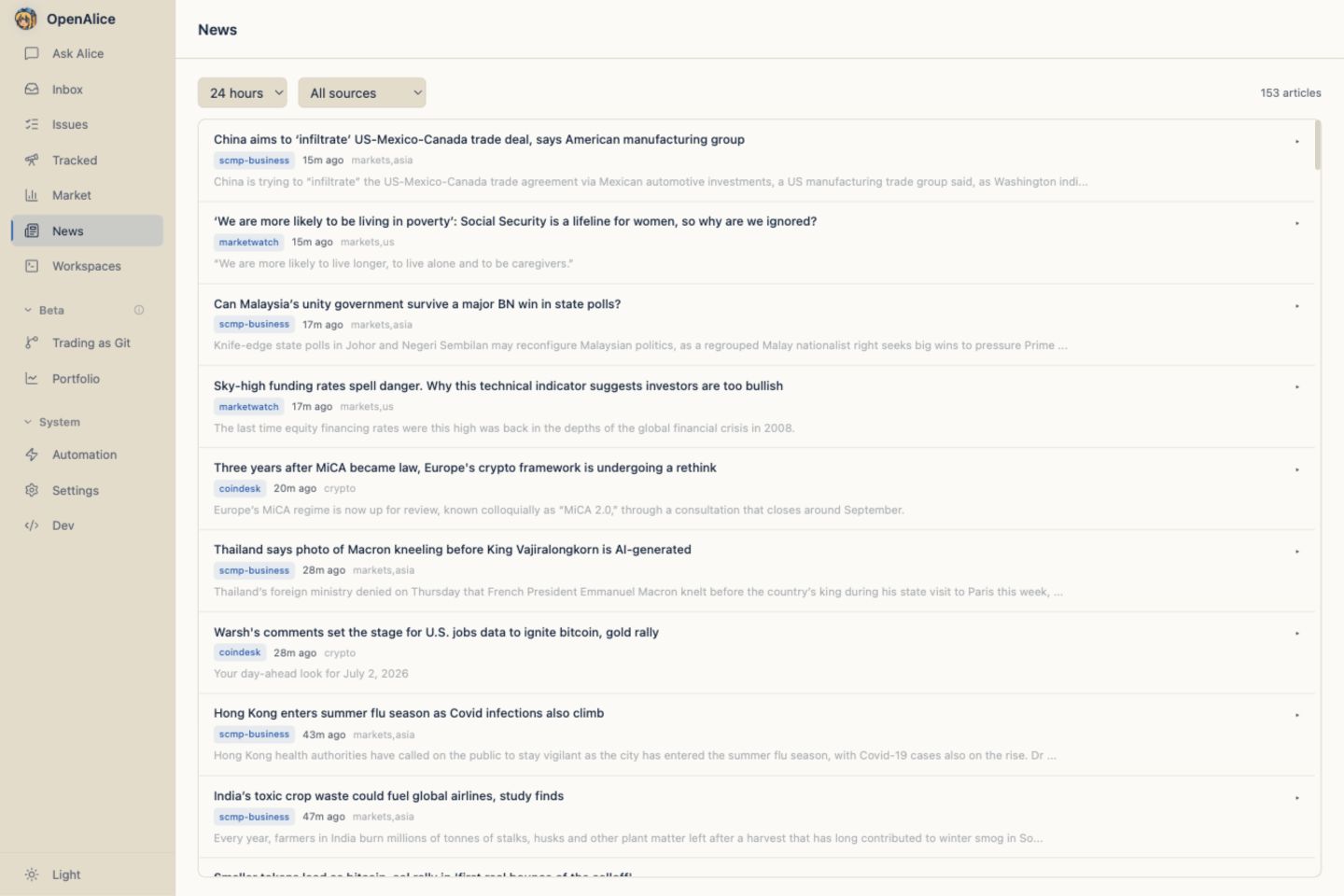
The archive covers only the user's subscribed feeds — coverage is exactly the feed list, nothing more. It is not a general news search. Empty or thin results mean "not in the subscribed feeds," not "nothing happened." For wider news (frontpages, breaking stories, a specific outlet, social chatter), Alice routes to the optional community
opencliCLI via theopencli-readerskill.
How It Works
- The NewsCollector fetches RSS/Atom feeds at a configurable interval (default: every 10 minutes)
- New articles are deduplicated and appended to a single JSONL log (
data/news-collector/news.jsonl), each with a stable monotonicseq - An in-memory buffer holds recent articles (default: 2000) for fast queries
- Four search tools let Alice find and read articles
Search Tools
globRss
Search by title pattern — like ls or glob. Fast way to scan what's been happening.
You: What Bitcoin news has there been in the last 24 hours?

Alice: [calls globRss(pattern="BTC|Bitcoin", lookback="1d")]

      Found 8 articles:
      [0] "Bitcoin Surges Past $70K as ETF Inflows Accelerate" (2.3k chars)
      [1] "BTC Mining Difficulty Hits All-Time High" (1.8k chars)
      ...
Parameters:
pattern— Regex matched against titleslookback— How far back to look, ending at now:"1h","12h","1d","7d"metadataFilter— Filter by metadata key-value pairs (e.g.{ "source": "coindesk" })limit— Max matches to return (optional; the search scans the most-recent 500 articles — see below)
grepRss
Search article content by pattern — like grep. Returns matched text with surrounding context.
You: Find any news mentioning interest rate decisions.

Alice: [calls grepRss(pattern="interest rate", lookback="2d")]

      [3] "Fed Minutes Signal..." — "...the committee discussed interest rate trajectory amid..."
      [7] "ECB Holds Steady..." — "...unchanged interest rate decision was widely expected..."
Parameters:
pattern— Regex to search in title and contentlookback— How far back to look, ending at nowmetadataFilter— Filter by metadata key-value pairscontextChars— Characters of context around each match (default: 50)limit— Max matches to return (optional; the search scans the most-recent 500 articles — see below)
The 500-item cap is hard — and it applies to
globRss,grepRss, andreadRss, which fetch the most-recent 500 items vialookback. For long lookbacks on busy feeds you'll silently miss older items beyond the cap — narrow the window or filter bymetadataFilterbefore broadening.windowRssis different: it fetches all matches in the explicitfrom/towindow (internal limit 5000) and instead caps its output at 40, reportingtotal/shown/omittedso the omission is loud, not silent.
readRss
Read the full content of an article by its stable id — like cat.
You: Read article #0 from the Bitcoin search.

Alice: [calls readRss(id=0)]

      "Bitcoin Surges Past $70K as ETF Inflows Accelerate"
      Source: coindesk | Published: 2026-06-26T10:30:00Z

      Bitcoin crossed the $70,000 mark for the first time since...
The
idis stable — it mirrors the article's archive sequence and survives across lookback windows, so you can read an article by theidaglob/grephanded back without repeating the samelookback.
windowRss
Find every article within an explicit from/to date window, returned oldest-first so timestamps line up against a price path. Unlike glob/grep (which look back from now), windowRss is anchored to a calendar span — the event-study / Time-Machine read. Pass a pattern to filter, or omit it to pull everything in the window.
You: What was in the feeds around the oil spike on June 22nd?

Alice: [calls windowRss(from="2026-06-20", to="2026-06-26", pattern="Iran|oil")]

      Window 2026-06-20 → 2026-06-26 — 79 matches, showing earliest 40 (39 omitted):
      [0] 2026-06-20T08:12:00Z "Brent Edges Up as Hormuz Tensions Simmer"
      [1] 2026-06-21T14:40:00Z "Iran Warns of Retaliation After Strikes"
      ...
Parameters:
from— Window start,YYYY-MM-DDor ISO (required)to— Window end,YYYY-MM-DDor ISO (default: now)pattern— Optional regex over title and content; omit for everything in the windowcontextChars— Characters of context around apatternmatch (default: 50)metadataFilter— Filter by metadata key-value pairs (e.g.{ "source": "cnbc" })limit— Max results returned (default: 40)
Result: { from, to, total, shown, omitted?, note?, results[] }. A wide window can match hundreds (e.g. ~79 for "Iran|oil"), so the output caps at 40 by default and reports omitted plus a loud note rather than silently truncating — raise limit, or narrow the pattern/window. Each entry in results carries its stable id, an ISO time, and the title (plus a matchedText snippet when a pattern was given).
Pair
windowRsswithmarketSnapshot/simulatefrom the Retrospective / Time Machine workflow to attribute a price move to a catalyst: window the news across the span of the move, then line the oldest-first timestamps up against the bars.
Configuration
Configure in data/config/news.json:
{
  "enabled": true,
  "intervalMinutes": 10,
  "maxInMemory": 2000,
  "retentionDays": 7,
  "feeds": [
    { "name": "CoinDesk", "url": "https://www.coindesk.com/arc/outboundfeeds/rss/", "source": "coindesk" },
    { "name": "CoinTelegraph", "url": "https://cointelegraph.com/rss", "source": "cointelegraph" },
    { "name": "The Block", "url": "https://www.theblock.co/rss.xml", "source": "theblock" },
    { "name": "CNBC Finance", "url": "https://search.cnbc.com/rs/search/combinedcms/view.xml?partnerId=wrss01&id=10000664", "source": "cnbc" }
  ]
}
| Field | Description |
|---|---|
enabled | Master switch for the news collector |
intervalMinutes | How often to fetch feeds (default: 10) |
maxInMemory | Max articles in the in-memory buffer (default: 2000) |
retentionDays | Articles older than this aren't loaded on startup (default: 7) |
feeds | Array of RSS/Atom feed definitions |
The four feeds shown are illustrative. OpenAlice seeds a larger curated default feed set on first run (macro, central-bank, and major US/APAC markets sources); trim or extend it freely — your
news.jsonis the source of truth.
Adding Custom Feeds
Add any RSS or Atom feed to the feeds array:
{
  "name": "Reuters Markets",
  "url": "https://www.reutersagency.com/feed/?taxonomy=best-sectors&post_type=best",
  "source": "reuters",
  "categories": ["markets"]
}
Each feed needs:
name— Display nameurl— RSS/Atom feed URLsource— Short identifier (used in metadata filtering)categories— Optional tags for categorization
Storage
Articles are appended to a single JSONL log at data/news-collector/news.jsonl:
data/news-collector/
└── news.jsonl
Each line is one article — title, content, URL, published date, source, metadata — with a stable monotonic seq (the id that readRss resolves against). On startup, items older than retentionDays aren't loaded into the in-memory buffer, though they stay on disk in the log.
News Feed View (Web UI)
Open Market → News in the Market sidebar for the dedicated live feed. News is no longer a separate Activity Bar item, but it remains its own page and does not require going through Alice:
- Article list with expandable rows
- Lookback filter (1h, 12h, 24h, 7d)
- Source filter dropdown
- Auto-refreshes every 60 seconds
Useful when you want to eyeball what the collector is picking up, or verify that a new feed is working, without running a tool call.
Next Steps
- Retrospective / Time Machine — Read dated news alongside as-of market snapshots.
- Equity Research — Pair news with fundamentals.
- Workspace Automation — Schedule recurring news scans that only push when something matters.
- Configuration Reference — Edit feed and retention settings.