Inbox
Inbox is the Workspace → user delivery channel. When an interactive or headless Session finishes something worth seeing, it publishes a report, a question, or a concise status update instead of leaving the result buried in terminal output.
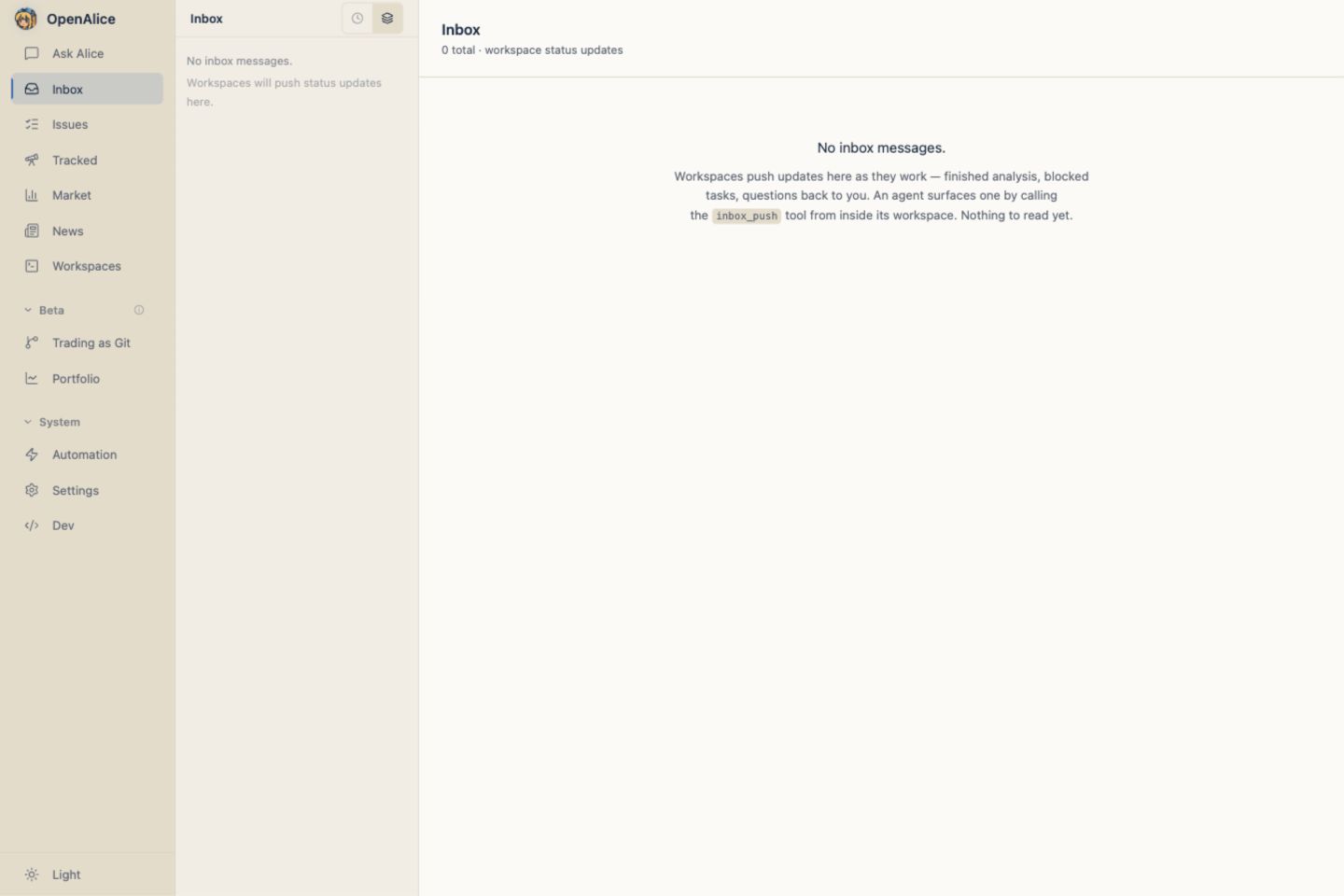
Publish from a Workspace
alice-workspace inbox push \
  --doc research/report.md \
  --comments "The draft is ready for review."
At least one document or comment is required.
- Documents are pointers to files in the Workspace and render live when opened.
- Comments are the notification's Markdown message.
- At publication, OpenAlice hashes the document bytes and records that revision with the Inbox origin. The UI may show the later live file, while provenance still identifies exactly what was sent.
- Static
.htmlreports render in an origin-less sandbox with scripts, forms, navigation, and network disabled. Inline CSS, SVG, and data images remain available for self-contained presentation.
The same Workspace-scoped operation exists for external MCP consumers, but native OpenAlice Workspaces are CLI-first.
Server-stamped origin
The agent never supplies its own author identity. The launcher resolves the authoritative Session context and stamps:
workspaceId;- product
resumeId; - runtime kind;
- headless
taskIdor interactive Session record; issueIdwhen a scheduled Issue produced the entry.
Native CLI session ids are not exposed. Unknown or forged transport ids fail to produce provenance rather than fabricating an author.
This separates several questions that used to blur together:
- Who sent this notification?
- Which Issue or run triggered it?
- Which revision of the report was sent?
- Who last edited the live file afterward?
Reply versus open conversation
Inbox detail separates two actions that used to blur together:
- Reply sends a question to the original Session in the background and keeps the resulting thread beside the Inbox entry.
- Open conversation materializes or focuses that Session as an interactive Workspace conversation.
Both use the exact product Session behind a known resumeId. Agents use the
same resolver through:
alice-workspace inbox ask \
  --id <entryId> \
  --prompt "Why did you publish this conclusion?" \
  --await
The Replies section shows the user prompt, working state, final agent reply, and failure without navigating away. While a reply is running, a compact live timeline may show semantic text, tool name/status, and errors. Tool input/output stay out of that projection. The snapshot is bounded and transient; the final reply and terminal state remain when the turn finishes. Sending a reply does not silently open a tab.
If an old/manual entry knows the Workspace but not the sender Session, OpenAlice recruits a fresh worker there and labels the answer reconstructed. A retired, departed, or purged sender remains historically attributed but unavailable; OpenAlice does not pretend a replacement is the original author.
See Sessions & Collaboration for the universal follow-up rule.
Read from an agent
alice-workspace inbox read --self --limit 20
--self narrows to the caller's Workspace. A global read can show other
Workspaces' entries and their safe origin metadata.
Each attachment is returned in files[] with a directly usable absolutePath
when its source Workspace is available, plus the original relativePath and
published revision. The legacy docs list remains for compatibility. If an
attachment is unsafe or its Workspace is unavailable, absolutePath is null;
do not guess a replacement path.
For broader inspection of an available peer Workspace, resolve its root:
alice-workspace peer path --id <workspaceId>
OpenAlice owns addressing, not a second file-reading API. After resolving the path, agents use their native read, search, and Git capabilities. Read peers freely. Autonomous/headless work writes only inside its own Workspace; editing another Workspace requires an attended human-approved path and an honest git commit.
Web UI
The Inbox provides:
- chronological and Workspace-grouped sidebars;
- read state and explicit delete;
- live Markdown/text/code rendering and sandboxed static HTML preview;
- an origin breadcrumb back to the Issue, run, or Session;
- a dedicated Replies thread for background exact or reconstructed follow-up;
- bounded live reply progress while an Inbox inquiry is still running;
- separate Open conversation or Open Workspace navigation;
- a path back into the originating Session when it is resumable.
Long Markdown attachments use the focused reading presentation shared with Tracked reports and Tracked Issue summaries: a restrained document measure, clearer heading and list hierarchy, and tables that scroll inside the report instead of widening the application shell. Chat messages and comment threads keep their compact Markdown treatment.
Unchanged polling responses preserve the existing Markdown DOM. Selecting text, using browser translation, or interacting with a rendered report is not interrupted merely because Workspace Manager or Inbox state refreshed; a real content change still updates immediately. This stability guarantee applies to shared Markdown surfaces, not arbitrary static-HTML report iframes.
Opening a completed headless result materializes or reuses the interactive Session for its resumeId; it does not use the run id as a terminal id.
Persistence
Inbox entries are append-only records under data/inbox/entries.jsonl. Deletion rewrites the file atomically while preserving unparseable lines. Old entries without modern origin fields remain readable.
The report itself stays in its Workspace. Offboarding moves that complete checkout to the departed inventory; purge removes the live document but retains the Inbox entry, Session signature, and historical provenance as a tombstone.
When to push
- Finished requested work → publish the report and a short summary.
- Blocked on a user decision → send the question as comments.
- Long-running milestone → optionally publish a checkpoint.
- Internal tools, scratch output, or no material change → do not create Inbox noise.
When External Connectors are enabled,
the durable Inbox entry is created before Discord, Telegram, Slack, or
Feishu/Lark delivery begins. Eligible Markdown/HTML documents are externalized
as files; Telegram lists them for owner-requested pull from /inbox, while
Discord, Slack, and Feishu/Lark attach them during proactive push. Connector
failure and chat-side browsing never change the Inbox result or read state.
Next Steps
- Sessions & Collaboration — Exact sender follow-up and reconstruction.
- Issue Board — Link reports to creator, owner, and scheduled runs.
- Automation — Produce attributable headless reports.
- Lifecycle & Offboarding — Understand historical entries after departure or purge.