AutoQuant
AutoQuant is OpenAlice's Agent-native quantitative research activity. It uses one durable Workspace backed by an exact release of AutoQuant V2, while OpenAlice supplies the native Agent Session, collaboration, Inbox, market-data tools, and optional UTA access around that research desk.
OpenAlice does not reproduce AutoQuant's Project, Study, Research Session, Run,
Report, or Dossier lifecycle. The coding agent works inside the AutoQuant
repository and follows its own AGENTS.md.
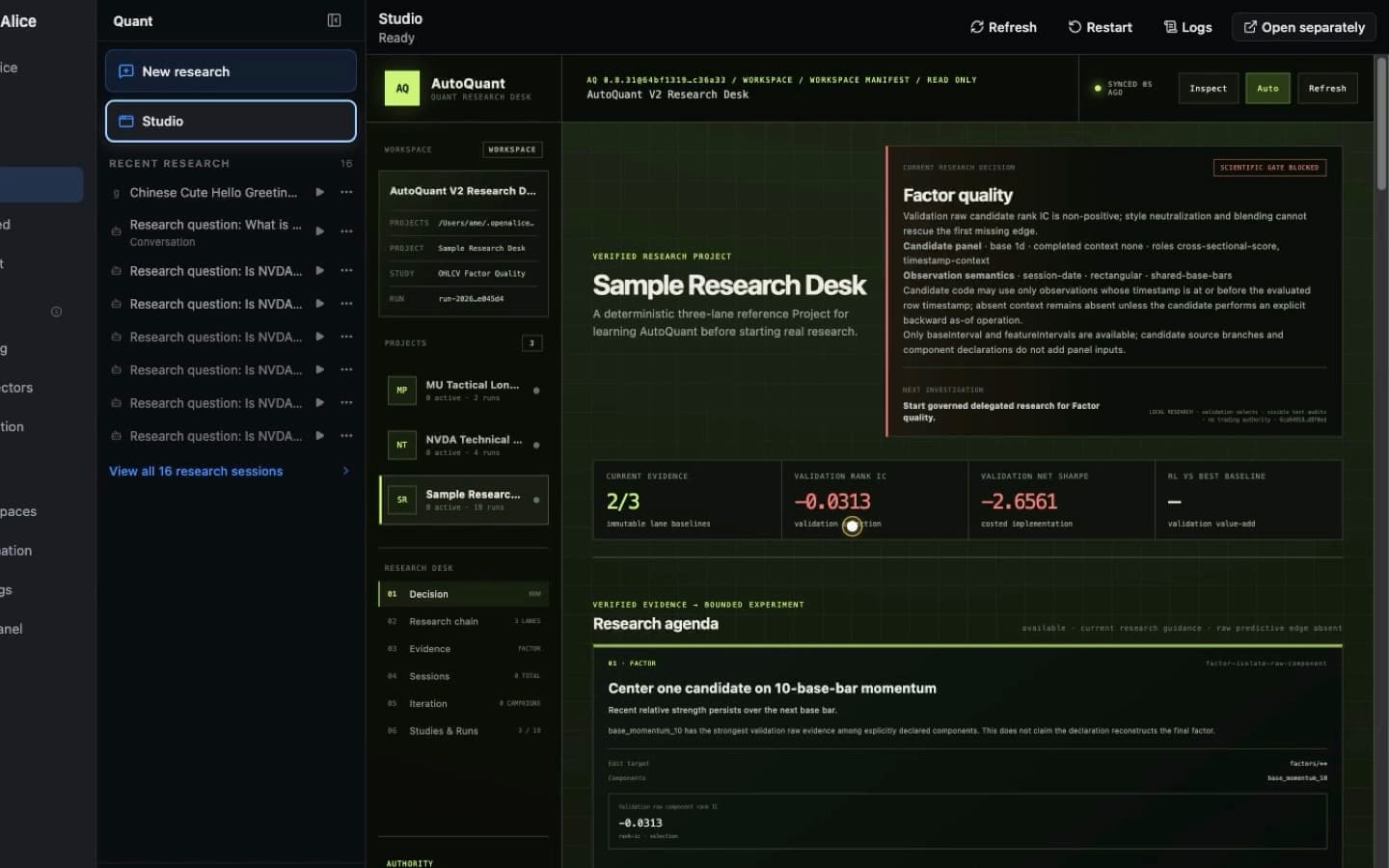
Move from the native Quant activity into the Workspace-owned Studio, where Projects, validation evidence, failure gates, and the next experiment remain visible together.
Initialize the desk
Open Quant from the main activity navigation.
Quant uses the same responsive navigation shell as Ask Alice: focused, recent, and tree views behave consistently, while AutoQuant keeps its own copy, readiness gate, and display preference. After the default Workspace exists, Studio appears beside New research and opens AutoQuant's frontend through OpenAlice's managed Surface route.
- On a fresh installation with no AutoQuant V2 Workspace, initialize one durable desk before sending research.
- If compatible desks already exist, select the one that should become the default; OpenAlice does not guess.
- Later assignments create or continue Sessions inside that selected desk rather than creating another Workspace.
- The low-frequency Workspace control lets you change the default desk explicitly.
- Browsing an older Session does not silently make its Workspace the durable AutoQuant default. Only explicit Workspace selection or creation changes the default, and OpenAlice saves that choice before navigating.
The default source is AutoQuant V2 v0.9.34 at commit
52d63148d826e6c35d48c3167d95a4cc7a4eb6c4. The creation flow also retains
approved v0.9.32, v0.9.31, v0.8.31, v0.8.30, and v0.8.27 sources for
reproducible older desks. Versions are exact inputs, not floating branches or
ranges.
Managed Studio
OpenAlice launches the source Workspace's declared Harness command with exact loopback ports, supervises it, waits on its readiness path, and embeds the ready app through an opaque Surface URL. The page distinguishes starting, failure, and ready states and exposes Refresh, Restart, Logs, and Open separately controls.
The first v0.9.34 Workspace setup remains agent-owned: the coding Agent runs
the required uv sync --frozen preparation. If dependencies are missing,
choose Set up with Agent to open a prefilled Quick Start task, review its AI
configuration, and restart Studio after setup. OpenAlice never installs source
dependencies silently.
Delegate from Ask Alice
New or explicitly template-upgraded Chat Workspaces receive a
delegate-autoquant skill that teaches the Chat Agent to hand a bounded
quantitative research assignment to the initialized default desk. The
underlying public route is:
alice-workspace conversation ask --harness autoquant \
  --prompt "Research this hypothesis, preserve the stated constraints, and return the evidence paths"
Add --await when the current answer needs the result. Otherwise retain the
returned taskId and later use conversation await, read, or collect.
AutoQuant delegation has no default execution deadline; use --timeout-ms only
for a caller-chosen hard stop.
The Harness target requires an explicitly initialized default AutoQuant
Workspace. It never creates or guesses a desk during delegation. The returned
Agent message should name its Project and applicable immutable evidence ids,
give the absolute Project root and primary deliverable directory, distinguish
validation from holdout evidence, and state assumptions and the no-trading
boundary. Continue the returned resumeId for clarification instead of
recruiting another worker and losing its context.
AutoQuant does not automatically publish a Report or Dossier to Inbox. Its
ordinary Agent reply is the handoff; request inbox push only when a durable
human-facing delivery or asynchronous notification is actually wanted.
Source and provenance
Bootstrap retains the upstream Git history and canonical origin, creates a
fresh research branch at the selected commit, and records the exact source in:
.alice/harness-source.json
The Workspace keeps the upstream AutoQuant AGENTS.md. OpenAlice does not
replace it with the Chat template's Alice instructions; it adds discoverable
collaboration, market-data, Inbox, and UTA skills alongside the upstream
instructions.
Python 3.11, uv, AutoQuant dependencies, Projects, Studies, and research
iteration remain the coding agent's responsibility inside the desk. A useful
first orientation is:
uv run aq project list .
uv run aq validate .
uv run aq orient . --json
Boundaries
- AutoQuant owns quantitative research truth and evidence.
- OpenAlice owns Workspace, Agent, Session, collaboration, and delivery lifecycle.
- UTA alone owns live accounts, approvals, and trading writes.
- Existing Auto-Quant Classic Workspaces are left intact and are not reinterpreted as V2 desks.
- Source versions are never upgraded automatically. Generic Template Upgrade does not apply; use the preview-first Harness source upgrade in Settings → Harness, which preserves upstream history and explicit source choice.
Next Steps
- Workspaces — Understand the durable desk and Session model.
- Templates — See the source-aware
auto-quant-v2template. - Inbox — Publish evidence-bound reports back to the user.
- AI Providers — Configure the coding Agent used by the desk.